
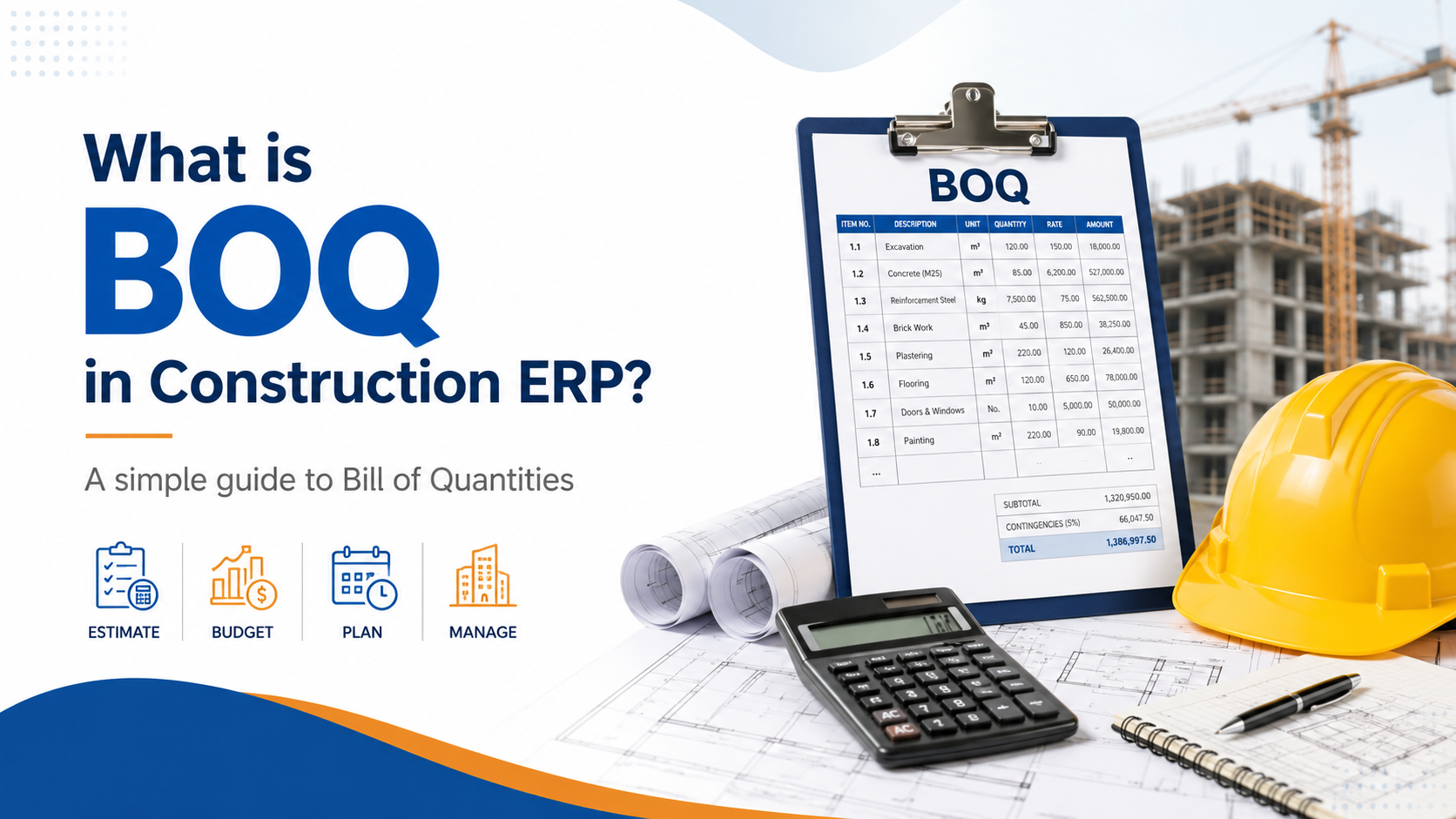
What is BOQ in Construction ERP?
In construction projects, one of the most important documents is the BOQ, also known as the Bill of Quantities.
A BOQ defines the complete scope of work, item-wise quantities, rates, and project value. It acts as the base document for estimation, budgeting, procurement, work execution, measurement, RA billing, subcontractor billing, and project profitability.
In simple words, BOQ tells the construction company:
What work needs to be done?
How much quantity needs to be executed?
At what rate will the work be billed?
What is the total project value?
How much material, labour, and cost will be required?
For any construction company, BOQ is not just a document. It is the foundation of project control.
What is BOQ?
BOQ stands for Bill of Quantities.
It is a detailed list of construction work items along with their quantity, unit, rate, and amount.
For example:
| BOQ Item | Unit | Quantity | Rate | Amount |
|---|---|---|---|---|
| Excavation Work | CUM | 1,000 | ₹250 | ₹2,50,000 |
| RCC M25 Concrete | CUM | 500 | ₹6,500 | ₹32,50,000 |
| TMT Steel | KG | 80,000 | ₹62 | ₹49,60,000 |
| Brick Work | SQM | 2,000 | ₹850 | ₹17,00,000 |
| Internal Plaster | SQM | 4,500 | ₹210 | ₹9,45,000 |
Each BOQ item becomes a measurable and billable part of the project.
Why BOQ is Important in Construction
Construction projects involve multiple activities, materials, labour teams, subcontractors, machinery, and billing stages. Without a proper BOQ, project execution becomes unstructured.
BOQ helps construction companies in:
-
Defining project scope clearly
-
Estimating project cost
-
Preparing client quotations
-
Creating project budgets
-
Planning material requirements
-
Tracking actual work done
-
Preparing measurement books
-
Generating RA bills
-
Managing subcontractor billing
-
Comparing planned vs actual cost
-
Monitoring project profitability
A well-prepared BOQ helps avoid confusion between client, contractor, site team, purchase team, billing team, and accounts team.
Role of BOQ in Construction ERP
In a construction ERP, BOQ becomes the central document around which the complete project workflow runs.
The ideal flow is:
BOQ → Estimation → Budget → Material Planning → Purchase → Site Execution → Measurement Book → RA Billing → Costing → Profitability
This means the BOQ is not only used at the beginning of the project. It continues to control the project until final billing and closure.
Key Components of BOQ in Construction ERP
A proper BOQ in ERP should include the following fields:
| Field | Purpose |
|---|---|
| BOQ Item Code | Unique code for each work item |
| Work Description | Detailed description of work |
| Category | Civil, electrical, plumbing, finishing, etc. |
| Unit | CUM, SQM, RMT, KG, Nos, etc. |
| Quantity | Approved work quantity |
| Rate | Approved rate per unit |
| Amount | Quantity × Rate |
| Floor / Block / Area | Location-wise work tracking |
| Drawing Reference | Link with drawing or design |
| Cost Head | Material, labour, subcontractor, equipment |
| Revision Number | To track BOQ changes |
| Approval Status | Draft, approved, revised, closed |
Example of Detailed BOQ Structure
| BOQ Code | Work Category | Description | Unit | Qty | Rate | Amount |
|---|---|---|---|---|---|---|
| CIV-001 | Earthwork | Excavation in foundation | CUM | 1,000 | ₹250 | ₹2,50,000 |
| CIV-002 | Concrete | PCC 1:4:8 below foundation | CUM | 150 | ₹4,200 | ₹6,30,000 |
| CIV-003 | RCC | RCC M25 for columns and slabs | CUM | 500 | ₹6,500 | ₹32,50,000 |
| CIV-004 | Steel | TMT reinforcement steel | KG | 80,000 | ₹62 | ₹49,60,000 |
| CIV-005 | Masonry | Brick work in superstructure | SQM | 2,000 | ₹850 | ₹17,00,000 |
| FIN-001 | Plaster | Internal plaster 12mm | SQM | 4,500 | ₹210 | ₹9,45,000 |
| ELE-001 | Electrical | Point wiring | Nos | 800 | ₹950 | ₹7,60,000 |
| PLB-001 | Plumbing | CPVC pipe work | RMT | 2,500 | ₹180 | ₹4,50,000 |
This structure helps the company track every work item from estimation to billing.
BOQ and Estimation
BOQ is the starting point for project estimation.
Once BOQ quantities are entered, the estimation team can calculate the expected cost of each activity.
For each BOQ item, ERP should allow cost breakup like:
-
Material cost
-
Labour cost
-
Equipment cost
-
Subcontractor cost
-
Transport cost
-
Overhead
-
Profit margin
Example:
| Cost Component | Amount Per CUM |
|---|---|
| Cement, sand, aggregate | ₹4,200 |
| Labour | ₹850 |
| Equipment | ₹450 |
| Transport | ₹300 |
| Overhead | ₹250 |
| Total Cost | ₹6,050 |
| Profit Margin | ₹450 |
| Quoted Rate | ₹6,500 |
This helps construction companies quote accurately and avoid underpricing.
BOQ and Project Budgeting
After the project is approved, the BOQ becomes the base for project budgeting.
The ERP should convert BOQ into:
-
Material budget
-
Labour budget
-
Subcontractor budget
-
Equipment budget
-
Overhead budget
-
Activity-wise budget
-
Project-wise budget
Example:
| Cost Head | Budget Amount |
|---|---|
| Cement | ₹20,00,000 |
| Steel | ₹50,00,000 |
| Sand and aggregate | ₹12,00,000 |
| Labour | ₹30,00,000 |
| Subcontractor | ₹40,00,000 |
| Equipment | ₹10,00,000 |
| Overhead | ₹8,00,000 |
With this, management can compare budget vs actual cost throughout the project.
BOQ and Material Planning
One of the biggest benefits of BOQ in ERP is material planning.
Based on BOQ quantities and rate analysis, ERP can calculate required material.
Example:
For RCC work of 500 CUM, ERP can calculate:
| Material | Required Qty |
|---|---|
| Cement | 3,500 Bags |
| Sand | 250 CUM |
| Aggregate | 500 CUM |
| Admixture | 1,000 Litres |
| Steel | 80,000 KG |
This helps the purchase team plan material in advance and avoid project delays.
The ERP should also compare:
-
Required quantity
-
Available stock
-
Purchase ordered quantity
-
Received quantity
-
Pending quantity
BOQ and Procurement
In construction ERP, purchase should be connected with BOQ.
When a site engineer raises a purchase request, the ERP should check:
-
Is this material part of the BOQ?
-
How much quantity is approved?
-
How much quantity is already purchased?
-
How much quantity is already consumed?
-
Is the request within budget?
-
Is there stock available at another site?
This prevents excess purchase and improves cost control.
Example:
| Material | BOQ Required | Purchased | Consumed | Balance Required |
|---|---|---|---|---|
| Cement | 3,500 Bags | 2,200 Bags | 1,850 Bags | 1,300 Bags |
| Steel | 80,000 KG | 55,000 KG | 48,000 KG | 25,000 KG |
| Sand | 250 CUM | 180 CUM | 140 CUM | 70 CUM |
BOQ and Site Execution
BOQ helps site teams understand what work needs to be executed and how much quantity is approved.
Site engineers can track daily progress against BOQ items.
Example:
| BOQ Item | BOQ Qty | Work Done Today | Total Completed | Balance |
|---|---|---|---|---|
| RCC Work | 500 CUM | 40 CUM | 180 CUM | 320 CUM |
| Brick Work | 2,000 SQM | 100 SQM | 750 SQM | 1,250 SQM |
| Plaster | 4,500 SQM | 200 SQM | 1,100 SQM | 3,400 SQM |
This gives real-time visibility into project progress.
BOQ and Measurement Book
Measurement Book, or MB, records the actual quantity of work completed at site.
In ERP, the Measurement Book should be linked directly with BOQ items.
This ensures that billing is done only for approved and measured quantities.
Example:
| BOQ Item | BOQ Qty | Previous Measured Qty | Current Qty | Cumulative Qty |
|---|---|---|---|---|
| RCC Work | 500 CUM | 100 CUM | 80 CUM | 180 CUM |
| Steel Work | 80,000 KG | 20,000 KG | 12,000 KG | 32,000 KG |
| Brick Work | 2,000 SQM | 500 SQM | 300 SQM | 800 SQM |
Without BOQ linkage, measurement and billing can become inaccurate.
BOQ and RA Billing
RA Bill, or Running Account Bill, is usually prepared based on BOQ items and certified measurement.
ERP should automatically fetch:
-
BOQ item
-
Approved rate
-
Previous billed quantity
-
Current certified quantity
-
Cumulative billed quantity
-
Current bill amount
-
Balance quantity
Example:
| BOQ Item | BOQ Qty | Previous Bill Qty | Current Bill Qty | Cumulative Qty | Amount |
|---|---|---|---|---|---|
| RCC Work | 500 CUM | 100 | 80 | 180 | ₹5,20,000 |
| Steel Work | 80,000 KG | 20,000 | 12,000 | 32,000 | ₹7,44,000 |
| Brick Work | 2,000 SQM | 500 | 300 | 800 | ₹2,55,000 |
BOQ-based RA billing reduces errors, duplicate billing, and overbilling.
BOQ and Subcontractor Billing
Subcontractor work orders should also be linked with BOQ.
For example, if electrical work is assigned to a subcontractor, the ERP should track:
-
BOQ quantity assigned
-
Subcontractor rate
-
Work completed
-
Measurement approved
-
Previous bill
-
Current bill
-
Retention
-
Payable amount
Example:
| Work Item | Assigned Qty | Completed Qty | Rate | Payable |
|---|---|---|---|---|
| Electrical point wiring | 800 Nos | 350 Nos | ₹750 | ₹2,62,500 |
| Cable tray installation | 500 RMT | 200 RMT | ₹280 | ₹56,000 |
This helps control subcontractor cost and prevent excess payments.
BOQ Revisions and Variations
In construction, BOQ changes are common.
Reasons for BOQ revision include:
-
Client scope change
-
Drawing revision
-
Site condition change
-
Extra work
-
Quantity increase
-
Quantity reduction
-
Rate change
-
New work item addition
ERP should maintain complete BOQ revision history.
Example:
| Revision | Reason | Approved By | Date |
|---|---|---|---|
| BOQ-V1 | Original BOQ | Client | 01 April 2026 |
| BOQ-V2 | Additional waterproofing added | Client | 20 May 2026 |
| BOQ-V3 | Quantity revised for plaster work | Consultant | 10 June 2026 |
This helps companies track extra claims and avoid revenue leakage.
BOQ vs Actual Report
One of the most important reports in construction ERP is BOQ vs Actual.
This report compares planned quantity and cost with actual execution and cost.
Example:
| Item | BOQ Qty | Actual Qty | Variance Qty | BOQ Cost | Actual Cost | Variance |
|---|---|---|---|---|---|---|
| Cement | 3,500 Bags | 3,750 Bags | +250 | ₹14,00,000 | ₹15,00,000 | +₹1,00,000 |
| Steel | 80,000 KG | 82,500 KG | +2,500 | ₹49,60,000 | ₹51,15,000 | +₹1,55,000 |
| Labour | 1,000 Mandays | 1,120 Mandays | +120 | ₹8,00,000 | ₹8,96,000 | +₹96,000 |
This report helps management identify cost overruns early.
Common Problems Without BOQ in ERP
Many construction companies manage BOQ in Excel and execution in separate software. This creates many problems.
Common issues include:
-
BOQ not connected with purchase
-
No control on material overuse
-
Manual billing errors
-
Duplicate billing
-
No revision tracking
-
Extra work not billed
-
Subcontractor overpayment
-
Wrong project profitability
-
Delayed reporting
-
No budget control
-
No real-time visibility
When BOQ is disconnected from ERP, management only comes to know about losses after the project is already in trouble.
Benefits of BOQ Management in Construction ERP
A proper BOQ module in ERP helps construction companies:
-
Improve estimation accuracy
-
Control project budget
-
Plan material requirements
-
Reduce excess purchase
-
Track site progress
-
Generate accurate RA bills
-
Manage subcontractor billing
-
Track BOQ revisions
-
Control extra work claims
-
Monitor project profitability
-
Reduce Excel dependency
-
Improve management visibility
Must-Have BOQ Reports in Construction ERP
A construction ERP should include these BOQ-related reports:
-
BOQ Summary Report
-
BOQ Item-Wise Report
-
BOQ Revision History
-
BOQ vs Actual Quantity Report
-
BOQ vs Actual Cost Report
-
BOQ vs Billing Report
-
BOQ vs Purchase Report
-
BOQ vs Material Consumption Report
-
BOQ Pending Work Report
-
BOQ Extra Item Report
-
BOQ Budget Variance Report
-
BOQ Profitability Report
These reports help management control both execution and profitability.
Ideal BOQ Workflow in Construction ERP
The ideal BOQ workflow should be:
Project Creation → BOQ Upload / Entry → Rate Analysis → Estimate Approval → Budget Creation → Material Planning → Procurement → Site Execution → Measurement Book → RA Billing → Project Costing → Profitability Dashboard
This workflow connects planning, execution, billing, and finance into one system.
Final Thoughts
BOQ is the backbone of construction project management. It defines the scope, quantity, rate, cost, billing, and profitability of the project.
In a construction ERP, BOQ should not remain only as an Excel attachment. It should be a live control document connected with estimation, budgeting, procurement, site progress, measurement book, RA billing, subcontractor billing, and project profitability.
For construction companies, a strong BOQ module helps answer the most important question:
Are we executing the project within the approved scope, quantity, budget, and margin?
A well-implemented Construction ERP can help companies move from manual BOQ tracking to real-time project control.
Insights
To properly understand the things that are prevalent in the industries, keeping up-to-date with the news is crucial. Take a look at some of our expertly created blogs, based on full-scale research and statistics on current market conditions.
What is DPR in Construction ERP? Daily Progress Report Explained
Learn what DPR means in Construction ERP and how Daily Progress Reports help construction…

Mradul Mishra
Oct. 9, 2026
What is BOQ in Construction ERP?
Learn what BOQ means in Construction ERP and how Bill of Quantities helps manage estimati…
Mradul Mishra
Oct. 9, 2026
What is RA Bill in Construction Management? Complete Guide for Contractors
Learn what RA Bill means in construction management, how Running Account Bills work, and …
Mradul Mishra
Oct. 9, 2026